Latest Updates

Showing posts with label Tutorial. Show all posts

Symphony Bring Android One | Symphony roar A50 full specifications & Price

9:55 AM
•
Band Mode Dual GSM 850/900/1800/1900 MHz
WCDMA 900/2100 MHz
Processor Cortex A7 Quad Core 1.3 GHz
Android OS 4.4.4 KITKAT
Display 4.5” FWVGA IPS (480 x 854)
Touch Panel 5 Point Capacitive Touchscreen
RAM 1 GB
Internal Memory 8 GB
Camera 2MP+5MP Auto Focus with Flash Light
Connectivity 3G/HSDPA/EDGE/WiFi 802.11 b.g.n/GPS
Battery 1780 mAh
Earphone 3.5 mm jack
Application Google Chrome, Calculator, Calendar, Compass, Clock, Media Player, FM Radio, Maps, Video & Audio recorder, Email, PlayStore
Software Runs an up-to-date version of Android and automatically gets new releases up to 2 years
Hardware Engineered to give faster, smoother, more responsive experience
Apps Built in Google Maps, YouTube and Google Play plus millions more available  

Top 10 Photoshop plugin,Filter

12:21 AM
•
Anurag 10 Photoshop plugin-Register.rar


Anurag 10  plugin Adobe photoshop Cs3 easy to use plugin.Its very nice retching your image software


Download Link :- [here]

PHOTOSHOP PLUGIN REMOVE GRAIN FILTER

12:13 AM
•
Photoshop Plugin  Remove Grain

Very  easy to use this plugin in Adobe Photoshop. Its result is very nice. retching your images only 5mints

Before


After


Download Link :- [here]


Free Download Autocad Book in Bangla-Bangla Autocad Book

8:08 PM
•
Autocad developed by Autodesk is a popular application which helps us to make 2D and 3D as well as drafting. Autocad is a so popular software in the purpose of this. This book may help you to learn something about Autocad which is absolutely free to download.
By this Bangla book i.e. Bangla computer book of Autocad, You can learn something about Autocad 2000. The Bangla Autocad book presented here is not such a big that you can learn everything about Autocad. But this Book can provide something which is basic and necessary too. Our all efforts to help you the most. So, If we can manage something greater Bangla Autocad Book than this Autocad book, Don't doubt, We'll try to present you that! Now use this for your purpose.


To get this Bangla AutoCAD book, Kindly Click Here!

Download Bangla Computer Book- Windows 7 Setup Bangla Guide

Download Bangla Computer Book from Bangla books pdf named Windows 7 Setup Bangla Guide. This Bangla computer operating system i.e. Bangla Windows 7 set up guide comprehensively has presented how to set up windows Seven.
To set up windows seven in your computer don't forget to read the whole ebook attentively first. Then set up your computer. Because once you start your computer set up processing, You may not found this Bangla computer book to read if you have one computer book until your set up being completed. So, read first attentively, then act.

However, Download Bangla Computer Book- Windows 7 Setup Bangla Guide and learn how to set up windows seven.

Book Name: Windows Seven Set up Guide Editor: Khaled Mahmud Khan Book Types: Bangla Computer Book
For Bangla computer books free download named
windows seven set up guide, Simply CliCk HerE!  

Free Download Bangla Computer Programming Ebook-Esho Programming Shikhi

8:02 PM
•
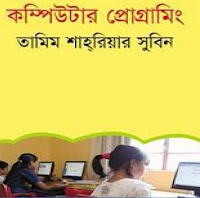
There are very few Bangla computer programming books to learn computer programming around the web. Here is one which may help you to learn and understand computer programming in Bangla Language.

This book is basically designed for the beginning students. That's why it might be easy to understand easily. Because the writing style is very attractive and easy-understood.

Book Name: Computer Programming Writer: Tamim Shariar Shubin  Number of Pages on this Bangla Book: 117 Size of this pdf File: 15.1MB

To get Bangla Programming book named  Esho Programming Shikhi, Click Here!

17 Best Paid Survey Sites that Actually Pay / Real Earning

8:56 AM
•
"In this article we are going to share a list of sites that pay"

1.          Opinion Outpost: Opinion Outpost Pays cash using Paypal with a minimum of $10. Another great thing about Opinion Outpost is that there are usually quite a few surveys to fill out so it doesn’t take very long to reach the minimum payout.


2.              SwagBucks: You can earn swag points by completing surveys. Swagbucks offers a ton of other rewards including gift cards.


3.              Points2Shop:  Points2shop.com is a really earning site where you will find a lot of tasks for earning money. They really pay and you can trust them. But you have to use one IP address for a  account. Otherwise, you can be banned anytime.If you want to earn by one account and you follow their rules, you can earn a good amount daily.


4.              MyView: MyView offers surveys on a large number of topics and does a good job of only contacting you only about things. Rewards available including prepaid VISA cards.


5.       CashCrate: CashCrate is another best survey site. It  has been around since 2006 and has gained a very large following. The minimum payout is $20.


6.              PaidViewpoint: it’s already gained a lot of popularity. You will get paid cash through PayPal.


7.       Tellwut: offers the plenty of survey opportunities as well as polls submitted by users. The surveys and polls are usually very short which is always nice.


8.                GlobalTestMarket: They’ve been around since 1999 and are a very reliable company. The minimum payout is $50.


9.                Pinecone Research: Pinecone offers a pretty good payout for each survey completed which is typically in the $3 range. To be paid using PayPal.


10.            Hotspex: You’ll earn BUX points whenever you complete a survey and those can then be redeemed on rewards.


11.            Toluna: They offer surveys from some of the leading brands from all over the world. These points can be redeemed for cash using PayPal.


12.            OpinionWorld: These points can then be redeemed for cash using PayPal. minimum amount you need is $10.


13.   ClixSense: ClixSense will also pay you for clicking on advertisements. ClixSense offers payment using check and PayPal.


14.   Pureprofile: this profile is used to match you up with more targeted paid surveys and offers. You can get paid using PayPal once you have a minimum balance of $25.


15.   Legerweb: . These Survey Dollars can then be redeemed for cash or you can even donate to charity. Minimum amount you need in order to get paid is $20.


16.   iThinkPanel: You can cash out your balance by using PayPal or gift cards. It’s a trustworthy and reliable site though.


17.   MySurvey: If you want to get paid cash then your only option is PayPal. It awards points after you complete each survey.


These all are trusted sites that actually pay. Stay with us to get the latest updates.

How To Get Approved Google AdSense Within 2 Hours

8:35 AM
•
We are going to discuss about the way to get approved for Ad Sense within two hours.


Follow all these process serially.
  • Create a brand new Gmail account (tip: opt for United State as your location, some countries like Nigeria don’t seem to be allowed to legalize YouTube videos).

  • Login to YouTube together with your freshly created Google account

  • Click on youtube.com/account monetization

  • Enable your YouTube account for substantiation

  • You should receive a message in your inbox location your YouTube account is prepared for substantiation

  • After the message transfer a singular video to YouTube

  • Be sure to feature with right descriptions and connected tags to your video

  • Wait for the transfer to complete and hit publish.

  • Now click on “associate an AdSense account”

  • Then you may be taken to wherever you may setup your AdSense account

  • Make sure to fill the shape consequently, receiver name and address is most significant.

  • Click submit and stay up for your approval at intervals two hours

  • Okay, waiting……1hour…2hours….Now check your mail

  • Wow! You’ve got the associate approved AdSense account!

  • Okay, following step is to point out ads on your blog/site.

Now, you can place your ad code on any website that you own without any further approvals. You 
should receive a message in your AdSense account stating reason why your site is not approved if anything get negative. You can correct the errors and resubmit again. Even with only a single post AdSense will still be displayed on your blog. If you encounter any error or still need an explanation please let us know. We expect all the best for your project.

40 Easy Ways To Increase Ad Sense Revenue

8:29 AM
•
Most bloggers will agree that AdSense is one of the best ways to make money from blogging.
There’s numerous ways you can increase your AdSense revenue. It is easy to follow.


Here is a list of all the best ways you can increase your AdSense revenue in order to help people get the most from AdSense.


1. Reduce outbound links on the page

2. Place ads above the fold

3. Blend link units into your content

4. Don’t add a title such as “sponsors” to your ad widgets

5. Use 3 ad units and 3 link units per page

6. Use low competition keywords

7. Use the Quick Adsense WordPress plugin

8. Write interesting and unique content

9. Make sure your ads are visible

10. Make ad colors match your website colors

11. Choose a high paying blog niche

12. Place ads in the middle of long articles

13. Update your blog often

14. Get better search rankings with quality backlinks

15. Promote your site with Google AdWords

16. Swap out ads that don’t earn much

17. Large rectangle ads get more attention

18. Don’t place too many ads on your site

19. Add Google search to your site

20. Place ads inside your content

21. Choose a low competition niche

22. Take advantage of all AdSense features offered

23. Experiment with ad size and placement

24. Concentrate on getting more targeted traffic

25. Join YouTube Partner program

26. Pay attention to your keyword density

27. Spread the ads out on the page

28. Use 720×90 ad in the header

29. Don’t use borders on the ads

30. Use different size ad units

31. Use image and text ads

32. Use AdSense revenue sharing sites

33. Place ads at the very top of short articles

34. Improve SEO using WordPress SEO by Yoast plugin

35. Drive more traffic to your blog

36. Swap out ads that don’t earn much

37. Large rectangle ads get more attention

38. Don’t place too many ads on your site

39. Blend text ads into your content

40. Follow the Google Ad Sense rules.
 

How To Start a Blog On Blogger / How To Start Your Career In Blog

7:05 AM
•
Blogger is an online service owned by Google that publishes single or multi user blogs created 

entirely by the user. It quickly become the preferred choice of many bloggers and is one of the 

easiest methods of creating and publishing a blog for free.

This article will teach you how to set up an account and create a blog on Blogger.

1. Search for www.blogger.com using your web browser of choice. 


2. Next, Sign in using your Gmail Account to get started.


3. No Google Account then click ‘Get Started’ to create one. 


4. ‘Display Name’ to be used to sign your blog posts and click ‘Continue’. 


5. Now Click ‘Create Your Blog Now’.


6. Check an available URL for your blog.You are considering is available by clicking ‘Check Availability’.


7. Then, Enter the word verification and click continue. 
 
 
8. Select a starter template which will act as the basic design of your blog. 


9. Press ‘Start Blogging’.
 
 
10. There are options like create new blog posts or edit posts .


11. The title of your post goes in the text box next to ‘Title’ .


12. Body of your post will get entered into the ‘Compose’ text editor. You will be able to access basic text editor functions such as font size. 
 
 
13. Use the ‘Edit HTML’ tab to insert your post in HTML format.  


14. ‘Post Options’ section located underneath the ‘Compose’ text editor will allow you to enable reader comments. You can publish your post directly to your newly created blog. 
 
 
15. You can change the design of your blog from the starter template you selected when initially creating your blog. 
 
 
16. ‘Design Tab’ you will allow to edit Page Elements or HTML. Here you can change your template with Temple Designer. 


17. You can adjust other settings such as who is able to view. 
 
 
18. You can adjust publishing other settings from within the sub tabs located under the main ‘Settings’ tab. 
 
 
19. There are options to add new authors that are able to contribute to and edit your blog.
 
 
20. You are the last step.Ready to start. 


Blogger is an online service owned by Google that publishes single or multi user blogs created entirely by the user. It quickly become the preferred choice of many bloggers and is one of the easiest methods of creating and publishing a blog for free. - See more at: http://www.quickmoneyblogs.com/how-to-start-a-blog-on-blogger-20-steps-2#sthash.MRe6YoVR.dpuf
 
Copyright © AllThingYouNeed | Android Rom | Most popular source for Android news and reviews. Designed by OddThemes | Distributed By Gooyaabi Templates